Goa Trance Track - From Start To Finish
- Description
- Curriculum
- FAQ
- Reviews
Read Full description – CLICK HERE
This is the complete Goa Trance production journey — from an empty project to a release-ready track.
The Full Course covers everything: sound design, composition, arrangement, mixing, and mastering.
What’s included:
– 55 video lessons (15+ hours of content)
– Full Mix & Mastering module with step-by-step explanations
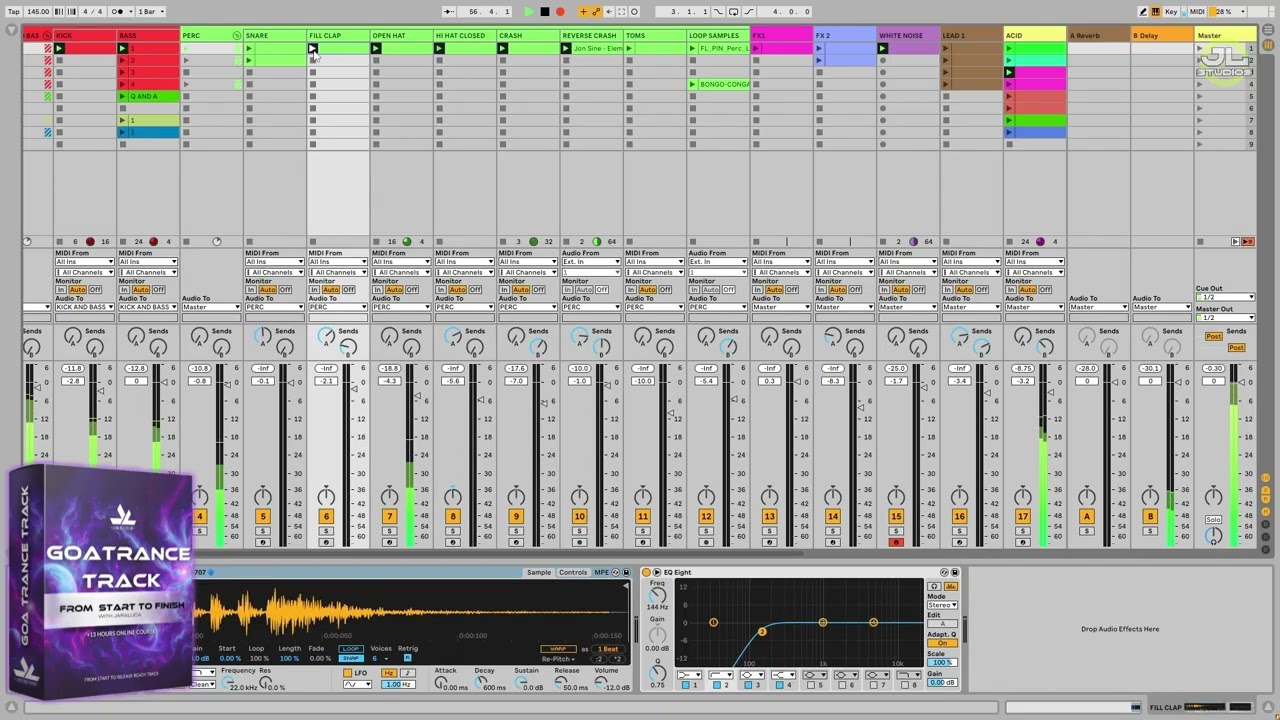
– Access to all Ableton Live project files (arrangement & session view)
– Exclusive Eclipse Lite sample pack
– Free eBook with workflow tips & checklists
– Lifetime access
Ideal if you want to finally finish tracks that sound polished and ready for release, using the exact techniques I apply in my own productions.
Session View - Sound Design / Building Melodies, Rythmic Patterns
- 2
 1. Kick and Bass
 - 3 2. Percussion
- 4 3. Creating Noise Effect with Operator
- 5 4. First Lead Sound Design with Wavetable
- 6 5. Creating Acid Lead with Phoscyon
- 7 6. Creating Lead with Drift and Creating Call & Response Patterns
- 8 7. Creating New Melodies and Finding the Right Preset
- 9 8. Creating Glide Lead with Serum
- 10 9. Designing a Lead Sound in Serum and Building Melody Patterns
Arrangement
- 11 10. First Arrangement Process
- 12 11. Developing Melodies and Organizing Leads for Arrangement
- 13 12. Psychedelic FX and Drum Loop Arrangement
- 14 13. Sound Design and Arrangement: Acid Lead, Bongos, and Goa FX
- 15 14. Shaping the Arrangement: Lead Layers and Build-Up
- 16 15. Breakdown Arrangement and Breakbeat Creation
- 17 16. Moving Ideas from Session to Arrangement
Arrangement – Filling Gaps & Melodic Additions
- 18 17. Designing a Strong Drop and Smooth Riser Effect
Drop Creation & Riser Design
- 19 18. Building the Final Part of the Track
- 20 19. Closing the Arrangement with Smooth Transitions
Creating an outro
- 21 20. How to Create an Effective Intro Using Existing Elements
Creating Intro
- 22 21. Optimizing Track Length Before Mixing
Arrangement Optimization
- 23 22. Preparing the Track for the Mixing Stage
Pre-Mix Adjustments
Pre-Mixing Preparation
- 24 Mixing Module - Introduction
- 25 23. Project Organization & Raw Mix Export
Project Organization & Stem Export
- 26 24. Premix Render Preparation
Premix Render Preparation
- 27 25. How to Export Stems in Ableton Live
How to Export Stems in Ableton Live
- 28 26. How to Import Stems into Ableton Live
How to Import Stems into Ableton Live
- 29 27. Organizing and Optimizing Stems
Organizing and Optimizing Stems
Mixing Process
- 30
 E-book Mixing & Mastering GoaTrance Guide
Mixing & Mastering Goa Trance – A Practical Guide
- 31 Mixing Checklist
Mix & Mastering Checklist PDF
- 32 28. Gain Staging Explanation – Start of Mixing
Gain Staging – Start of Mixing
- 33 29. Mixing Kick drum
Mixing Kick Drum
- 34 30. Mixing the Bassline
- 35 31. Mixing the Snare
- 36 32. Mixing Percussion Elements
- 37 33. Mixing Crashes and Tom
Mixing Crashes and Tom
- 38 34. Mixing Impact and Percussion Loop
Mixing Impact and Percussion Loop
- 39 35. Mixing the Fx's group
Mixing the Fx's group
- 40 36. Revisiting the Bass and FX Group
Revisiting the Bass and FX Group
- 41 37. Mixing pad, Lead, and Re-mixing the Snare
- 42 38. Mixing Kick with Pultec EQ and Leads
- 43 39. Parallel Compression (NY Compression) Technique
- 44 40. Improving the Mix with Parallel Processing
- 45 41. Mixing the Main Lead and Breakbeat Loop
- 46 42. Fixing Low-End Buildup with Auto Filter Automation
- 47 43. Using the Saturator as a Clipper in Ableton Live
- 48 44. NEW - Important Clarification: Using Saturator as a Clipper
- 49 45. Clipping the Breakbeat and Using Reference Tracks
- 50 46. Using Voxengo SPAN for Reference Analysis
- 51 47. Track Review and Notes Before Mastering
- 52 48. Fixing the Issues Noted in the Previous Review
- 53 49. Mixing in Mono
- 54 50. Sidechaining the Bass with FabFilter Pro-Q3
- 55 51. Adjusting FX Levels and Fixing Phase Issues with Mid/Side EQ
- 56 52. Revisiting Kick Rolls and Fixing Overlooked Details
- 57 53. Rendering the Mixdown for Mastering
Mastering
BONUS LESSONS
THANK YOU!!

Do I need Ableton Live to follow this course?
Yes, the course is taught in Ableton Live Suite 11.3 or higher. However, you can still apply the techniques in any DAW, since the principles of sound design, arrangement, and mixing are universal.
I do not own Serum or Phoscyon. Can I still join?
Absolutely. You can replace Serum with the free synth Vital and use any 303-style plugin instead of Phoscyon. The course focuses on techniques, not just specific plugins.
How long do I have access to the course?
You will have full access to the course materials for 2 years from the date of purchase. During this time you can watch all lessons at your own pace, download resources, and benefit from all future updates.
Will I get access to future updates?
Yes. All updates, new lessons, or improvements will be added to your account automatically at no extra cost.
What is included in the Early Access version?
Right now you get 21 lessons on arrangement and sound design, plus 17 lessons in the Mixing & Mastering module. Additional lessons are being added weekly, and you will get them automatically.
Do I need to be advanced in music production to take this course?
No. This course is designed for beginners and intermediate producers. Everything is explained step by step.
Do I get project files and samples?
Yes. You will receive Ableton Live project files, a mini sample pack Eclipse Lite, and a bonus 14-page e-book on Mixing & Mastering Goa Trance.
How does the mentorship version work?
he Premium Mentorship Bundle includes 4 private online sessions (1.5h each) with JaraLuca. You will get personalized feedback on your own tracks and guidance tailored to your goals.
Stars 5
21
Stars 4
0
Stars 3
0
Stars 2
0
Stars 1
0


Course details
Duration
+15h
Lectures
63
Video
15h 20min
Level
Beginner
Lifetime access
Desktop, Laptop, Tablet, Smartphone
Course requirements
-
Ableton Live Suite 11.3.42 or higher (Suite version recommended for Operator, Wavetable, and Drift)
-
Free VST plugins: Psyscope, Voxengo SPAN
-
Xfer Serum (Version 1 or 2) – if you do not own it, you can use Vital for very similar results
-
D16 Phoscyon (or Phoscyon 2) – used for acid leads (optional, but highly recommended; you can replace with another 303-style plugin)
-
Headphones or studio monitors with good bass response (important for accurate mixing)
-
Basic understanding of Ableton Live (how to create tracks, load plugins, use session/arrangement view)
-
A computer capable of running Ableton Live smoothly (8 GB RAM minimum recommended)
Intended audience
Intended Audience:
-
Beginner and intermediate producers who want to learn Goa Trance production step by step
-
Anyone who wants to create a complete track from scratch in Ableton Live
-
Producers interested in kick & bass design, leads, arps, acid lines, pads, and FX,
-
Musicians who want to improve their arrangement skills and learn how to structure a full track
-
Producers who want to understand the mixing and mastering process for professional results
-
Psytrance and electronic music fans who want to recreate the authentic Goa Trance sound